YOUR STITCH COUNT · YOUR MEASURED PACE
Cross-stitch
project time calculator.
Turn the stitches you still need into active hours, manageable sessions and a weekly time plan. Use your measured pace rather than someone else's average.
Plan the remaining stitches ↗Free · no account · calculations run in your browser
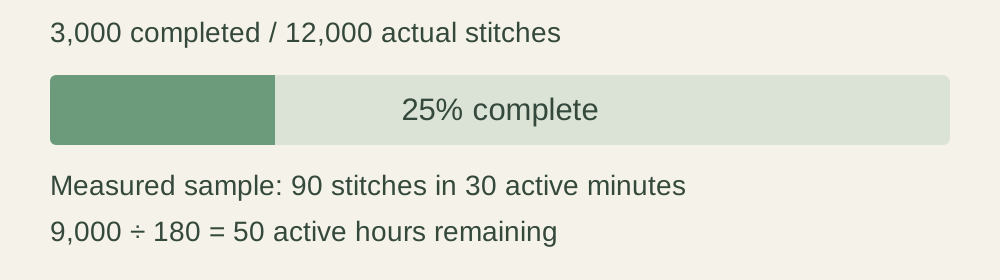
Active stitching time only. Pattern preparation, counting and planning, thread sorting, unpicking, finishing and interruptions need their own allowance. A steady pace and a weekly plan describe effort; they do not promise a calendar finish date.
01 / WHAT REMAINS
Make time for the next stitches.
Project time questions
Does fabric count tell me how long stitching will take?
The calculator uses actual stitch count and your entered pace. It does not infer time from fabric count or finished dimensions. Changing fabric count can change physical size without changing the number of charted stitches; your real pace may still vary.
What if the design is only partly covered?
Use the actual intended stitches from your pattern or your own count. A 100 × 100 chart has 10,000 possible squares, but a design that stitches only 6,000 of those squares should use 6,000 as its total. Leave the background uncounted if it stays unstitched.
Why are the two week figures different?
Effort-equivalent weeks describe a quantity of time. The session schedule also has whole visits to your project. In the editable example, 50 hours at 225 minutes a week is about 13.333 weeks of effort, while 67 sessions at five a week extend into planning week 14.
Will a sample predict every part of the pattern?
No. A block of one colour may differ from scattered stitches, frequent changes or detailed sections. Use a sample that resembles the work still ahead, and update the pace when that work changes. This tool does not add hidden time or guess a difficulty factor.